System requirements
WARDOGS system requirements for PC
Steam lists WARDOGS for Windows PC. Before Early Access, players should check CPU, GPU, RAM, storage and drivers, because large multiplayer shooters can be sensitive to performance.
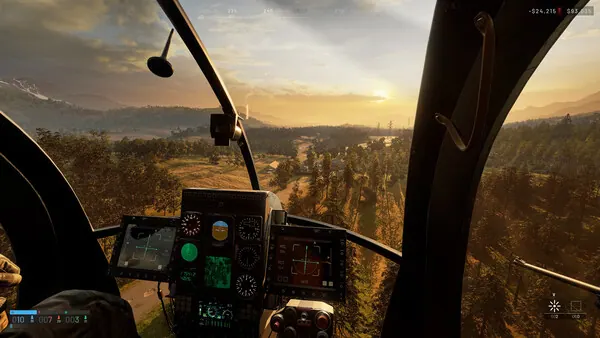
What to check first
Treat the Steam table as the baseline and leave headroom for large battles. If you are close to the minimum, lower settings and wait for performance notes from the developers.
Key takeaways
- Update GPU drivers before the test.
- Install the game on an SSD if possible.
- Close overlays and background recorders during the first run.
- Join Discord if you want player feedback on similar hardware.
Link it with the test
The best order is simple: check the release date, sign up for the test, join Discord, then compare your PC against the requirements.
Join the WARDOGS community
Discord is the main action point for squad search, test reminders and fast community updates.
Join Discord Community signupRecommended route
FAQ
Where are the WARDOGS system requirements listed?
Steam is the best source for the current PC requirement table. Recheck it before tests and Early Access.
Should I expect requirements to change?
Yes. Early Access games can change performance and requirements as optimization continues.
What should I prepare before the test?
Update GPU drivers, use an SSD if possible and compare your PC with the Steam table.
Sources and fact checking
We rewrite information in our own words and update pages using official and specialist sources.
- Bulkhead: WARDOGS
- Steam: WARDOGS
- Steam Community: WARDOGS
- Steam News: WARDOGS Livestream Announcement
- Steam News: WARDOGS Level Design & Performance
- Steam News: WARDOGS Gameplay Trailer
- Steam News: WARDOGS Tactical Depth & Teamplay
- Steam News: WARDOGS Early Access & Beyond
- Steam News: WARDOGS TOP QUESTIONS
- Steam News: WARDOGS Addressing Feedback
- Steam News: WARDOGS Pre-Alpha Announcement
- Steam News: 500,000 Steam Wishlists
- X: WARDOGS Addressing Feedback devlog
- X: WARDOGS official account
- TikTok: WARDOGS official account
- Instagram: WARDOGS official account
- Facebook: WARDOGS official account
- Discord: WARDOGS RU invite
- WARDOGS Community Signup
- Official WARDOGS website
- Easy Anti-Cheat
- Epic Online Services: Anti-Cheat
- Steamworks: Steam Deck / Proton
- DTF: gameplay and economy preview
- Games.gg: WARDOGS profile
- GGRealm: WARDOGS release dates
- GoHa: WARDOGS